 CREATE
← mixfolio.app · the workspace for music professionalsThe store opens November 27 · sign up now and KATALÖG is free with any plugin
CREATE · SAMPLER & CHOPPING WORKSTATION
 CHÖPWERK
Load a sample or record one, and CHÖPWERK finds the tempo, the key and the stems. Pick the bars you want, chop them across 4 banks of 16 pads, pick each pad’s stems and play.
Sampler & Chopping WorkstationAU · VST3macOS 12+ · Windows 10+
Dig. Chop. Play.
01
DIG
Drop a file or press REC to record from a track, a bus or your loopback. Tempo and key are worked out straight away; drums, bass, vocals and the rest are split into stems on your computer.
02
CHOP
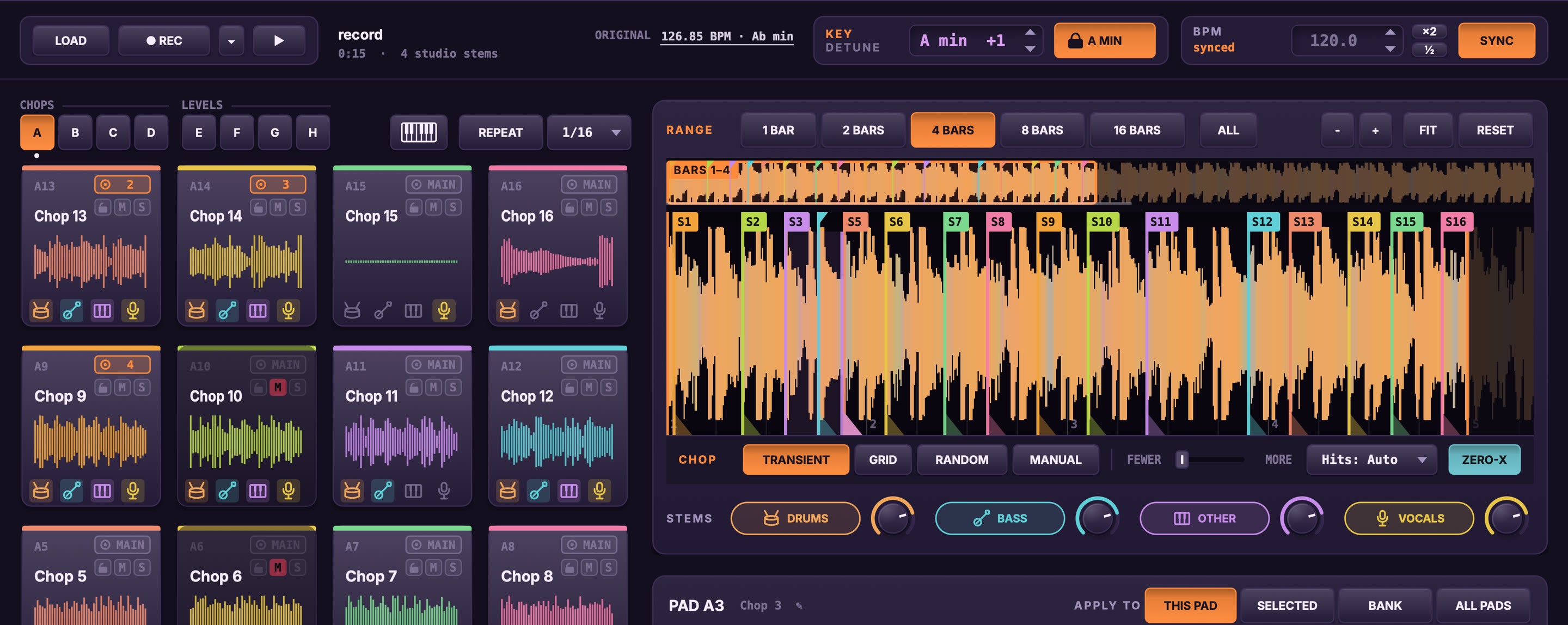
Pick the bars with RANGE, or click them on the strip, then TRANSIENT, GRID, RANDOM or MANUAL: the pads fill at once, from A1. Every cut lands right on the start of its hit. Drag a flag to move a cut, or drag it straight onto a pad.
03
PLAY
4 banks of 16 pads from MIDI, the mouse or your computer keyboard. 16 LEVELS plays one pad at 16 pitches, and REPEAT rolls it in time. Hit a pad and the waveform follows it.
CHÖPWERK on real music
CHÖPWERK splits the record into drums, bass, other and vocals. Switch them on and off while it plays, as the stem buttons do: a drum break, an a cappella, the music alone.
Sample The record it's chopped from
Click a lane to switch that stem off and on.
STEMS · Lo-fi hip-hop Sample
Dry and processed from the same bars, matched in loudness: the switch compares the sound, not the volume.
01
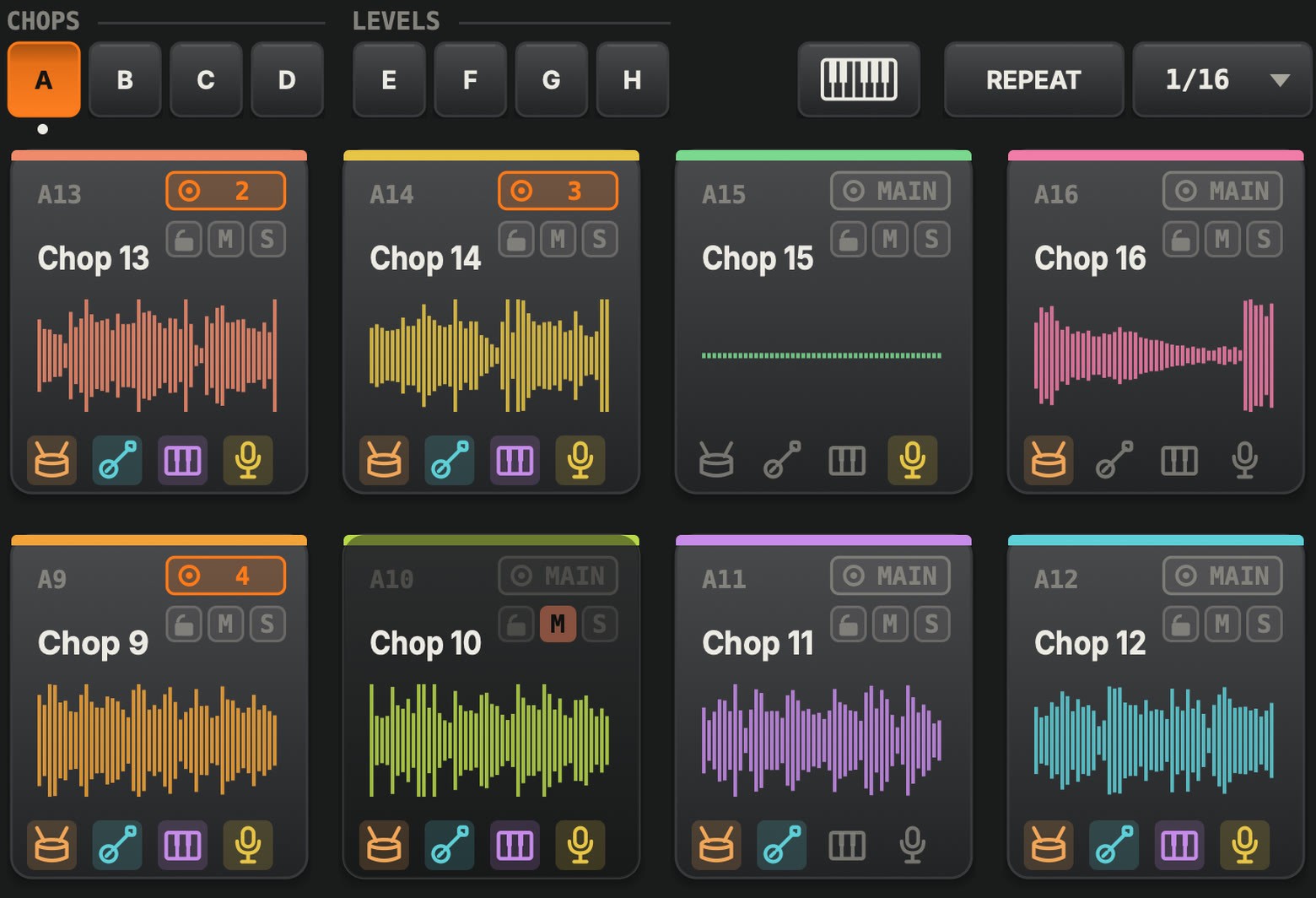
Stems on every pad
Every pad plays the mix of drums, bass, other and vocals you choose: the icons on each pad switch them. Keep just the vocal on one chop and the drums on the next, or drag a stem out to a pad of its own. 16 LEVELS keeps a pad’s stems: a vocal-only chop plays as 16 pitches of just the vocal. M and S mute or solo a pad, and its badge sends it to MAIN or one of 16 outputs.
02
Load it, drop it or record it
LOAD opens any audio file, or drag one straight onto CHÖPWERK. REC records whatever your DAW routes in: a track, a bus or a loopback. Start on sound, and the whole take lands as your sample, ready to chop.
03
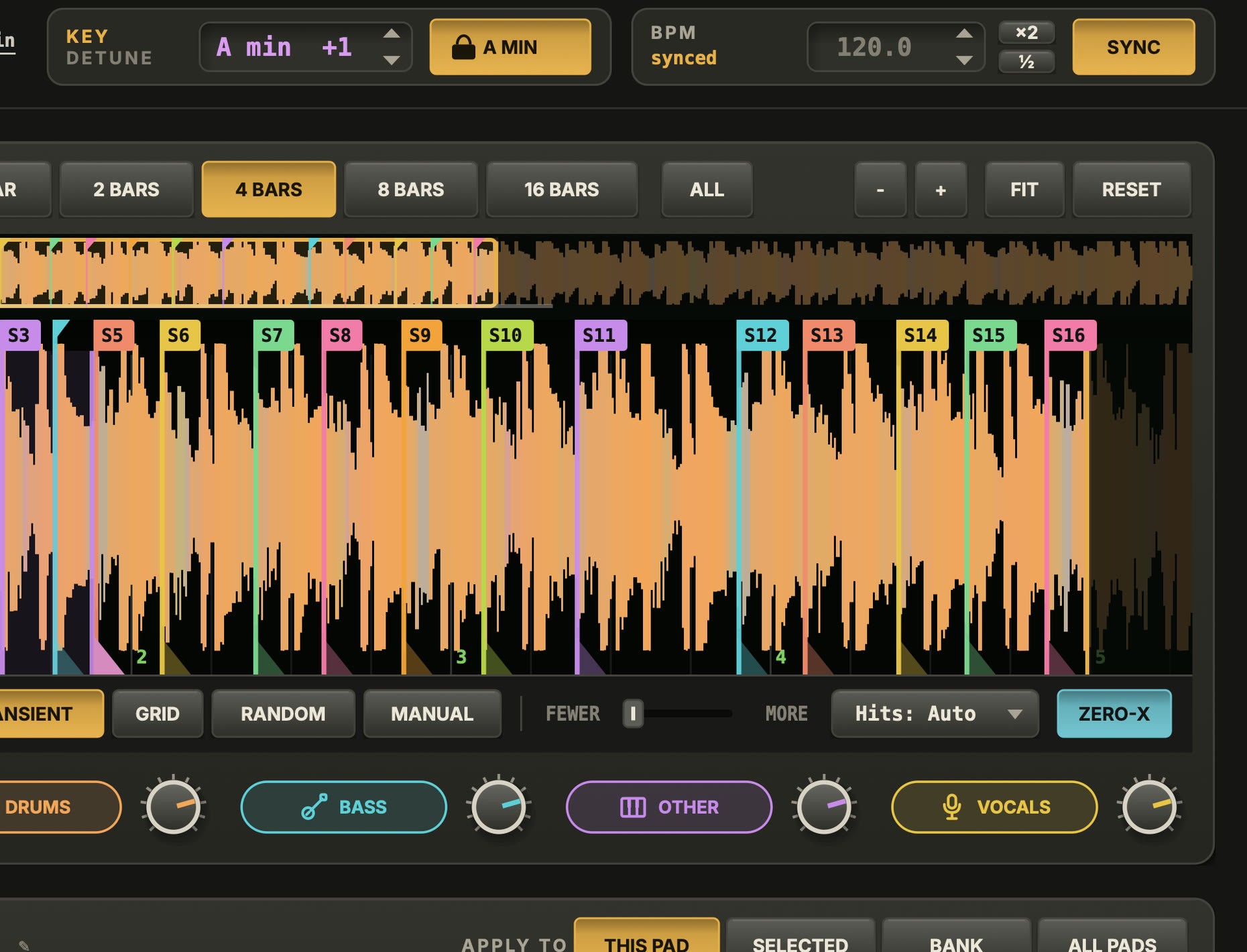
Key and tempo that follow you
SYNC makes every pad follow your song’s tempo. KEY moves the sample to your key, and KEY LOCK keeps it there for every sample you load: lock Am and each one lands in a key that fits. DETUNE fixes samples that sit between notes.
04
Shape every pad
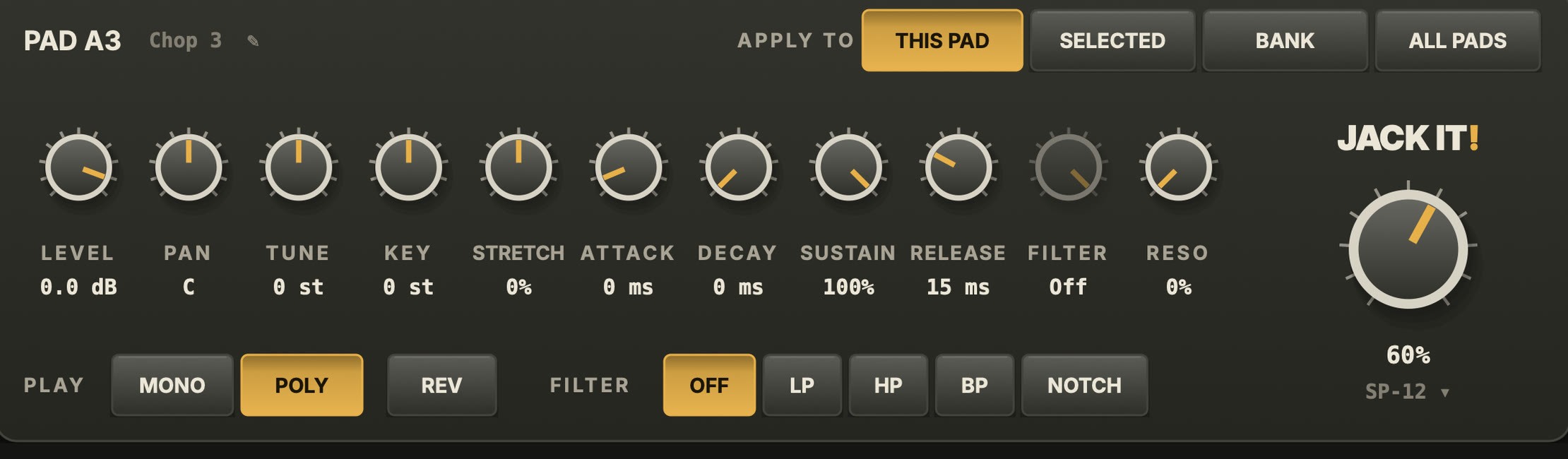
Each pad has its own level and pan, TUNE (speed and pitch together, like a record), KEY (pitch, same length) and STRETCH (a few percent faster or slower, same pitch, to sit a chop on the beat), an envelope, a filter (LP, HP, BP or NOTCH), MONO, POLY or REV, and the big JACK IT! knob: the pad through an old sampler, 0 to 100%. APPLY TO sends an edit to the selected pads, the whole bank or all pads, and you hear every change at once, even on a pad that’s playing.
Flip with RANDOM and LOCK
Fire RANDOM across the whole song or a few bars, lock the pads you like, and fire again: only the unlocked pads change, and every chop starts on a hit. Repeat until every pad is a keeper.
KEY LOCK
Lock your song’s key once, like SYNC locks its tempo. Every sample you load or record lands in a key that fits, minor or major, the nearest way. No music theory needed.
JACK IT! on any pad
Turn up JACK IT! and the pad goes through an old sampler, resampled the classic way: pitched up, captured, played back down. SP-12, S950, MPC60 or MPC3000, from a touch to all the way, level-matched. MASTER adds sampler color to the whole output on top.
Sixteen outputs
Give any pad its own output, each its own channel in your DAW for separate processing.
Drag it out
Drag a pad into your DAW as a WAV, or export the pads in one go.
Saved with your song
The sample, files on pads, your recordings and every render are kept inside your DAW project, lossless.
Copy pads to any bank
Right-click a pad, choose Copy to, and pick the bank and pad. The copy keeps that pad’s own MIDI note, so it’s ready to play.
Studio stems when you need them
The quick stems play the moment a sample loads. Use a stem and CHÖPWERK makes studio stems only for the parts you play, while you keep working. Nothing splits in the background.
Mute and solo any pad
M and S on every pad. Muted and soloed pads are saved with your song, and the pads you can’t hear are dimmed.
Try CHÖPWERK free for 14 days.
Every feature unlocked. No limitations.
Pre-launch exclusive: Sign up now, buy any plugin or bundle Nov 27 – Dec 31, and KATALÖG is yours free ($49 value).
Pairs with


Specs
Pads4 banks of 16 (A–D), plus 4 for 16 Levels (E–H)
Chop modesTransient (fewer to more hits), Grid (1/4, 1/8, 1/16, straight, triplet or dotted), Random, Manual
StemsDrums, bass, other, vocals (made on your computer)
FilesWAV, AIFF, FLAC, MP3
OutputsMain + 15 stereo
JACK IT!Per pad, 0–100%: SP-12, S950, MPC60 or MPC3000
KeyKEY (any key, nearest way), KEY LOCK (your song’s key for every sample), DETUNE ±50 cents
Memory8 GB or more, 16 GB recommended (studio stems use 1–2 GB while they’re made)
FormatsAU, VST3
macOS12 or later, Apple silicon and Intel
WindowsWindows 10 or later, 64-bit VST3
HostsAny DAW that loads AU or VST3 (no AAX, so not Pro Tools)
SkinsIts own, plus 8 shared by every MixFolio plugin (3 light)
ActivationOnline once, then offline · 2 computers, Mac or Windows
UpdatesBug fixes free within a major version
Questions
Does it work in my DAW?
As an AU or VST3 in Logic, Ableton Live (11 or later), FL Studio, Bitwig, Cubase, Studio One and REAPER.
Will stems run on my laptop?
Yes, on any computer with 8 GB of memory or more. The quick stems play at once. Studio stems are made only when you use a stem, and only for the parts you play, while you keep working. A few seconds per 10-second part on Apple silicon and recent desktop PCs; older or low-power laptops take longer.
Do the stems need the internet?
No. The stem model is installed with CHÖPWERK, and separation runs on your computer, offline too.
Can I record from YouTube or a streaming app?
Route it to CHÖPWERK and press REC: pick a loopback device as its input under REC’s arrow, or set CHÖPWERK’s sidechain to the track or bus that plays it.
What happens after the trial?
It stops working until you enter a license key. Nothing is lost: your projects and presets are there when you activate.
Does it work in Pro Tools?
Not yet. There is no AAX version, so it doesn’t load in Pro Tools. It runs in every DAW that loads AU or VST3.
Mac and PC with one key?
Yes. A key works on 2 computers, any mix of Mac and Windows. Deactivate one in the plugin’s license window to move it.
Do I need to be online?
Only to activate. After that it works offline; it checks the key now and then when you are online.